Find a China product link
Copy the Taobao, Tmall, 1688 or Weidian item link you want to buy. Spreadsheet product pages can also send you directly toward the MyCNBox purchase flow.





This guide turns the official MyCNBox beginner flow into a cleaner checklist for spreadsheet users: find a product, place the order, review QC, consolidate, ship and track.
Copy the Taobao, Tmall, 1688 or Weidian item link you want to buy. Spreadsheet product pages can also send you directly toward the MyCNBox purchase flow.
Use the purchase search bar on MyCNBox, choose size, color and quantity, then leave a remark if the seller needs a custom note.
The first payment covers the product and Chinese domestic shipping. International shipping is paid later after the warehouse receives your items.
The official help center says the purchasing team normally starts ordering within 24 hours after payment, then the seller ships to the MyCNBox warehouse.
After arrival, the warehouse checks the item, weighs it and uploads QC information. Standard QC normally includes photos, with optional detailed photography available.
When all orders are in storage, submit packing from the warehouse page so items can be combined into one parcel to reduce international shipping cost.
Enter your address, select value-added packing services if needed, pick a shipping route, add insurance if desired and apply available coupons.
After the international shipping fee is paid, MyCNBox ships the parcel and tracking appears in Parcels. Any overpaid estimate can be returned to your balance.
These screenshots come from the official MyCNBox PC guide. The notes below expand each screen into the decision a spreadsheet shopper needs to make before paying or shipping.
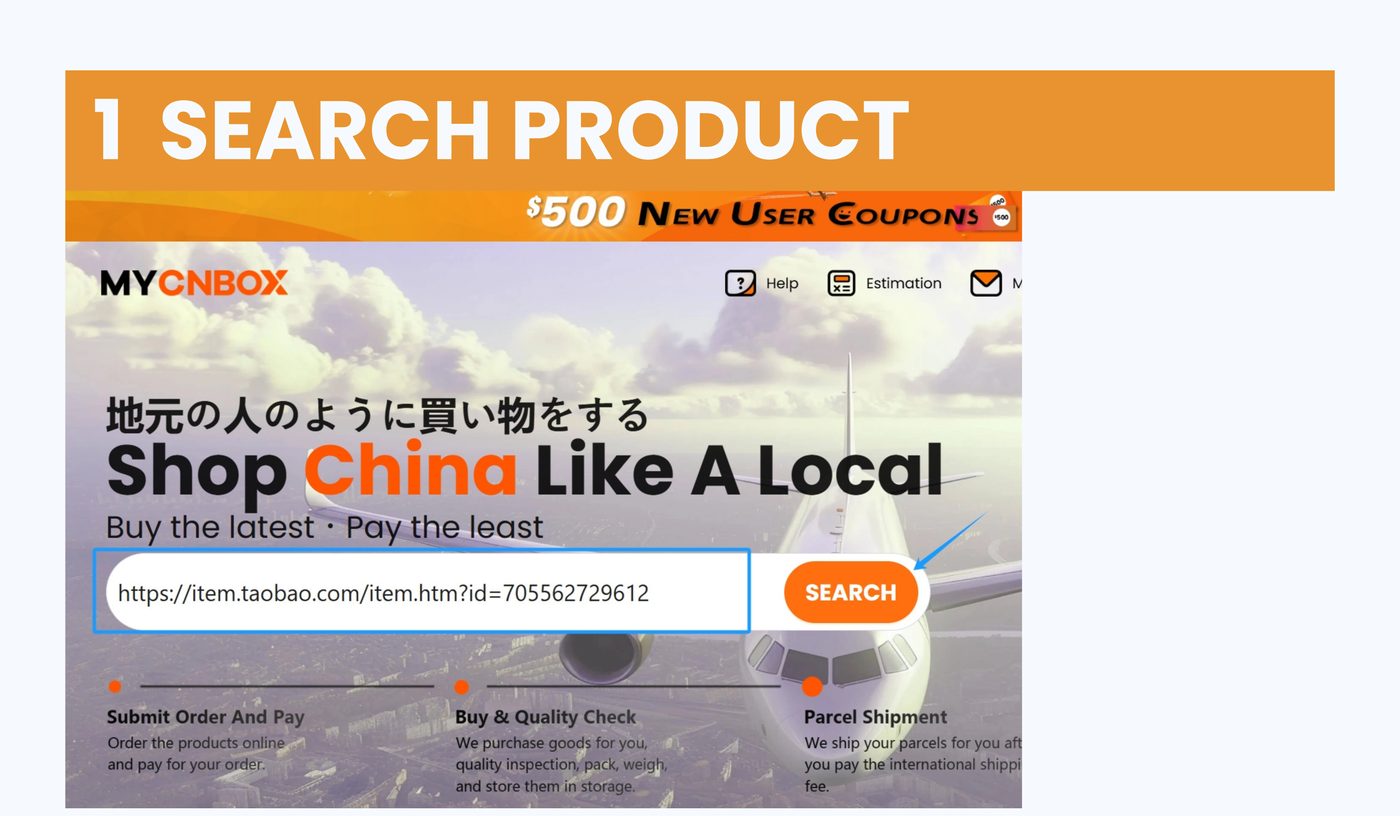
Copy a Taobao, Tmall, 1688 or Weidian URL from the spreadsheet or seller page, then paste it into the MyCNBox purchase/search box. This is where the official platform reads the item page and starts the agent order.
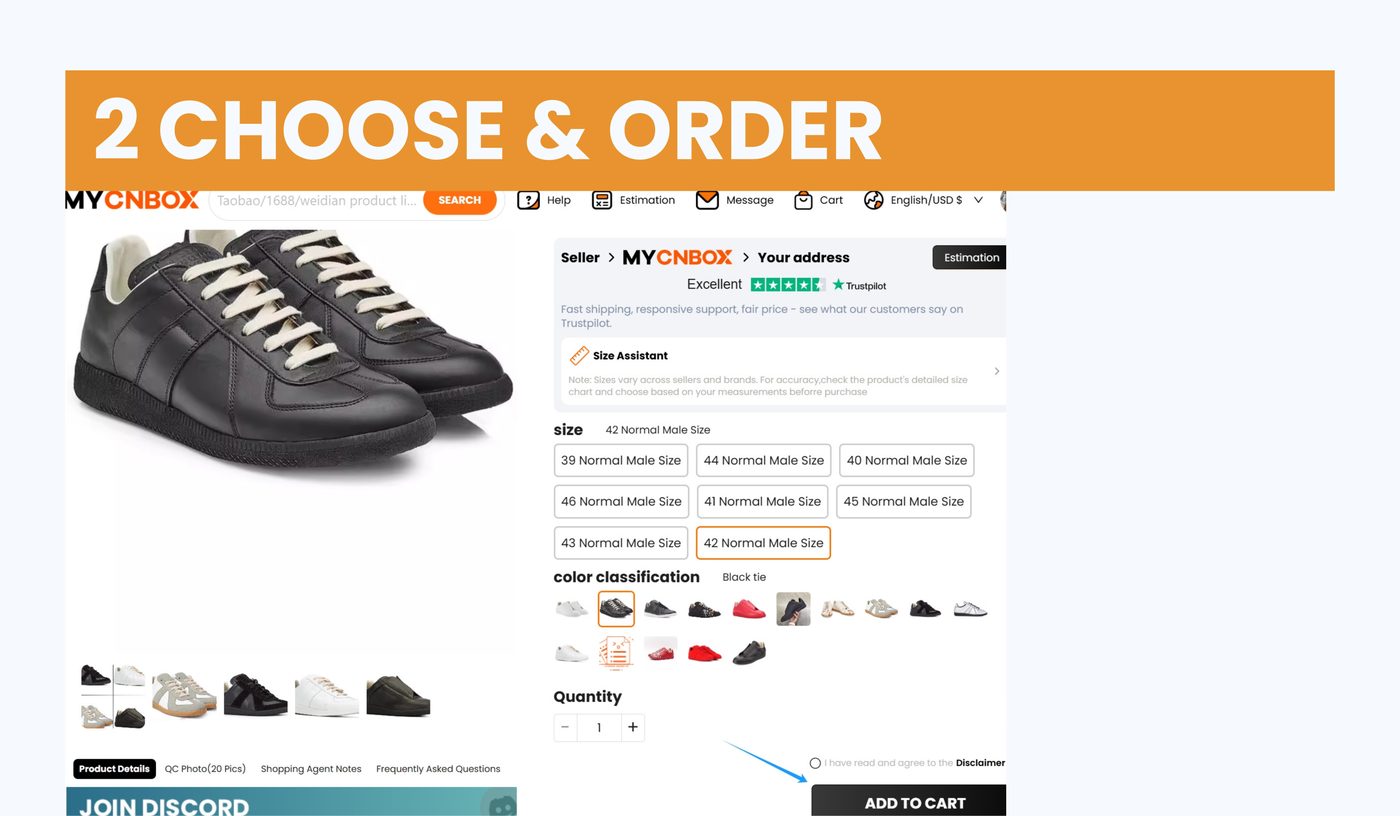
Select size, color and quantity exactly as you want them bought. Use remarks for seller notes, customization, replacement choices or anything that must be visible before the purchasing team orders.
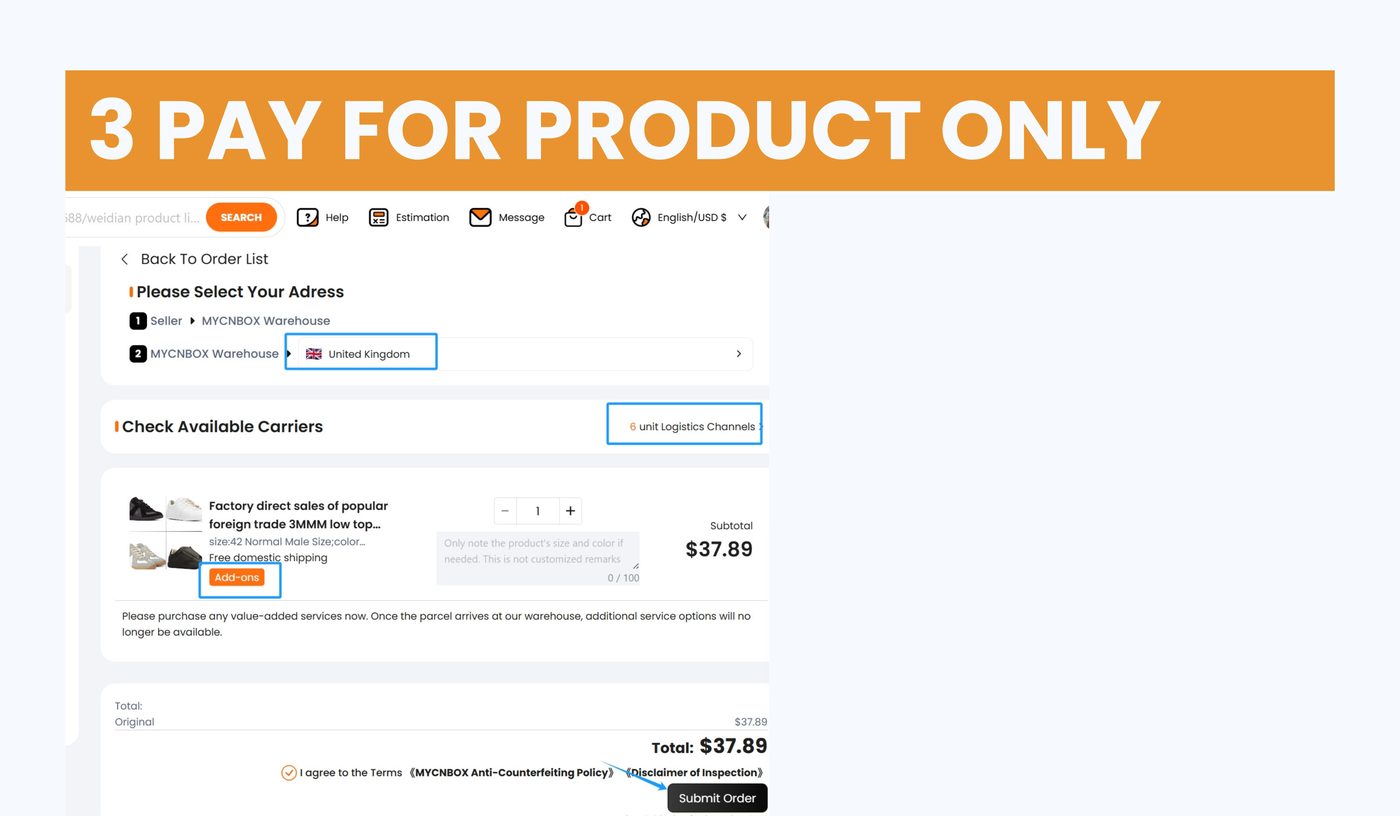
The first payment covers the product and China domestic shipping. International freight is separate because the final parcel weight and dimensions are only known after warehouse intake and packing.
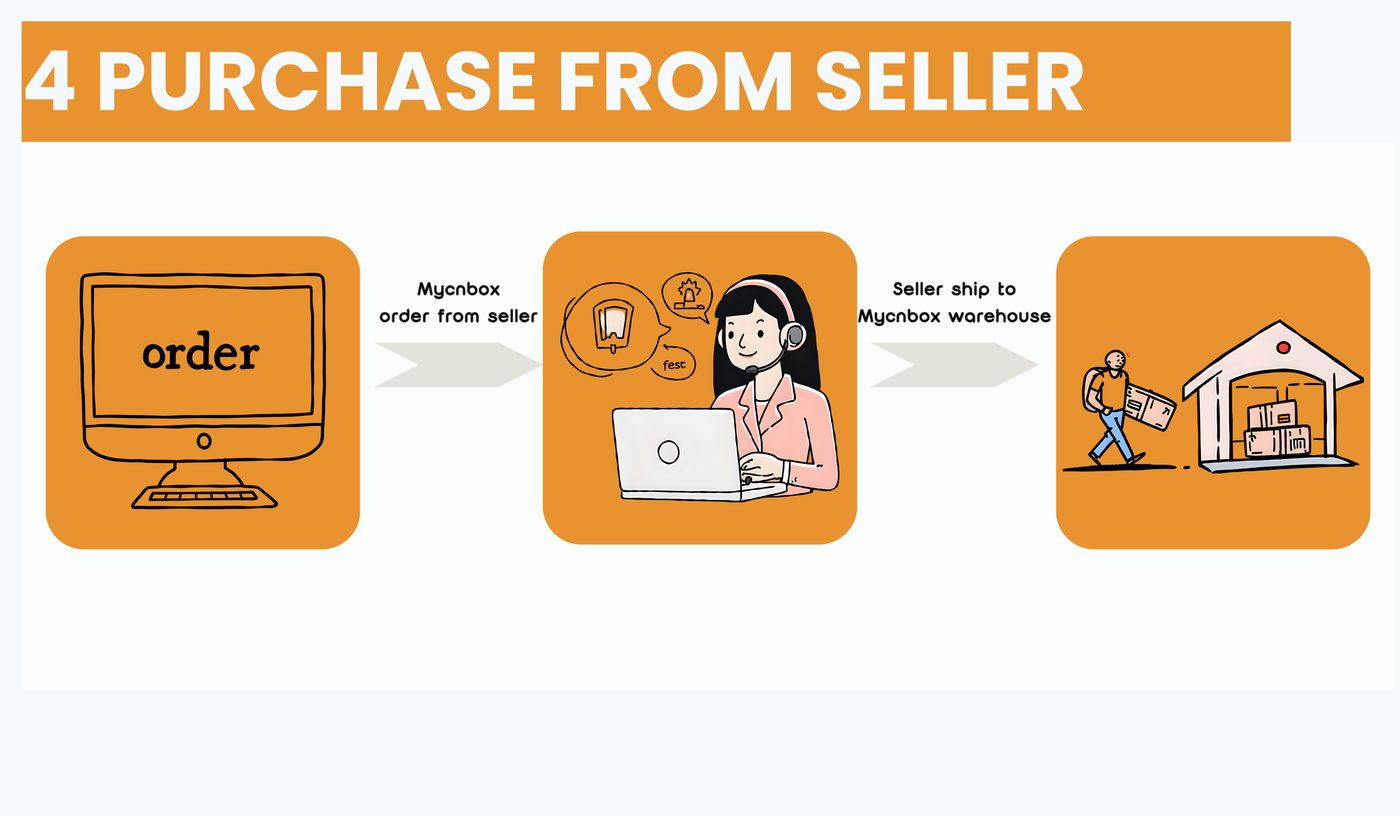
After payment, MyCNBox buys from the seller. The seller ships to the MyCNBox warehouse, so tracking before warehouse arrival is domestic China tracking rather than international parcel tracking.
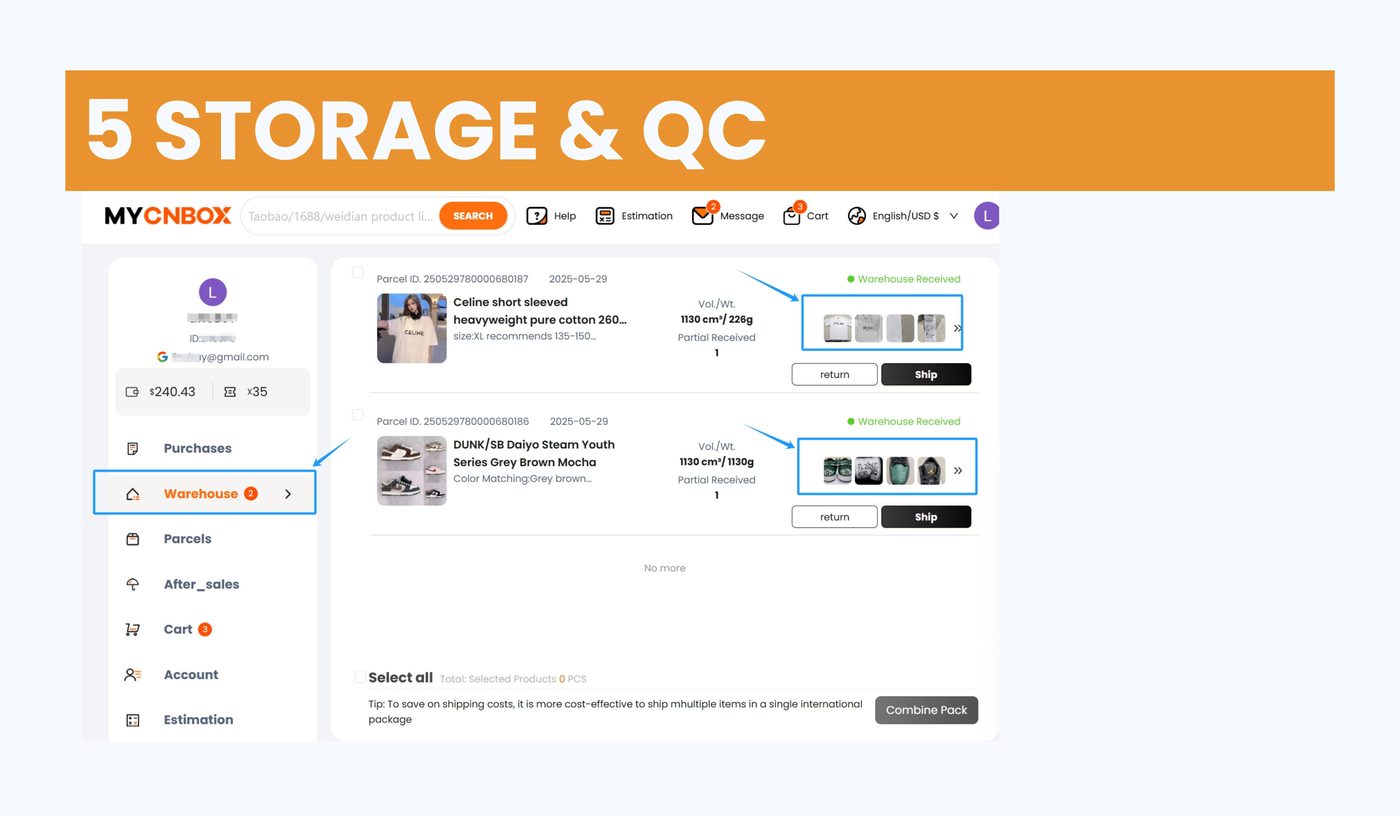
When the item arrives, check QC photos, option accuracy, visible flaws, weight and package notes. Request more photos or a return before international shipping when something is unclear.
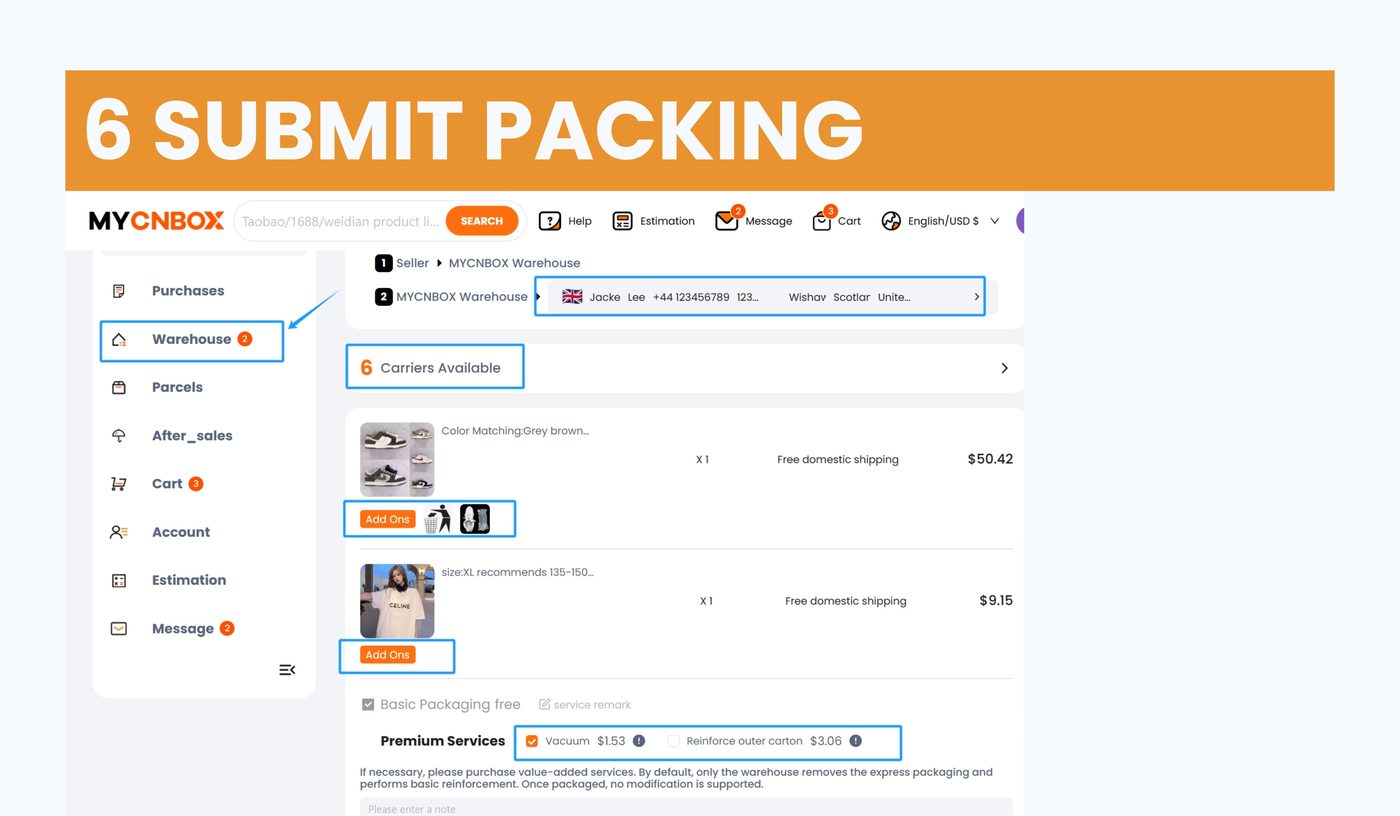
Wait until all intended items are stored, then choose which packages go into one parcel. This is where consolidation, box removal, reinforcement or other packing services can affect final freight.
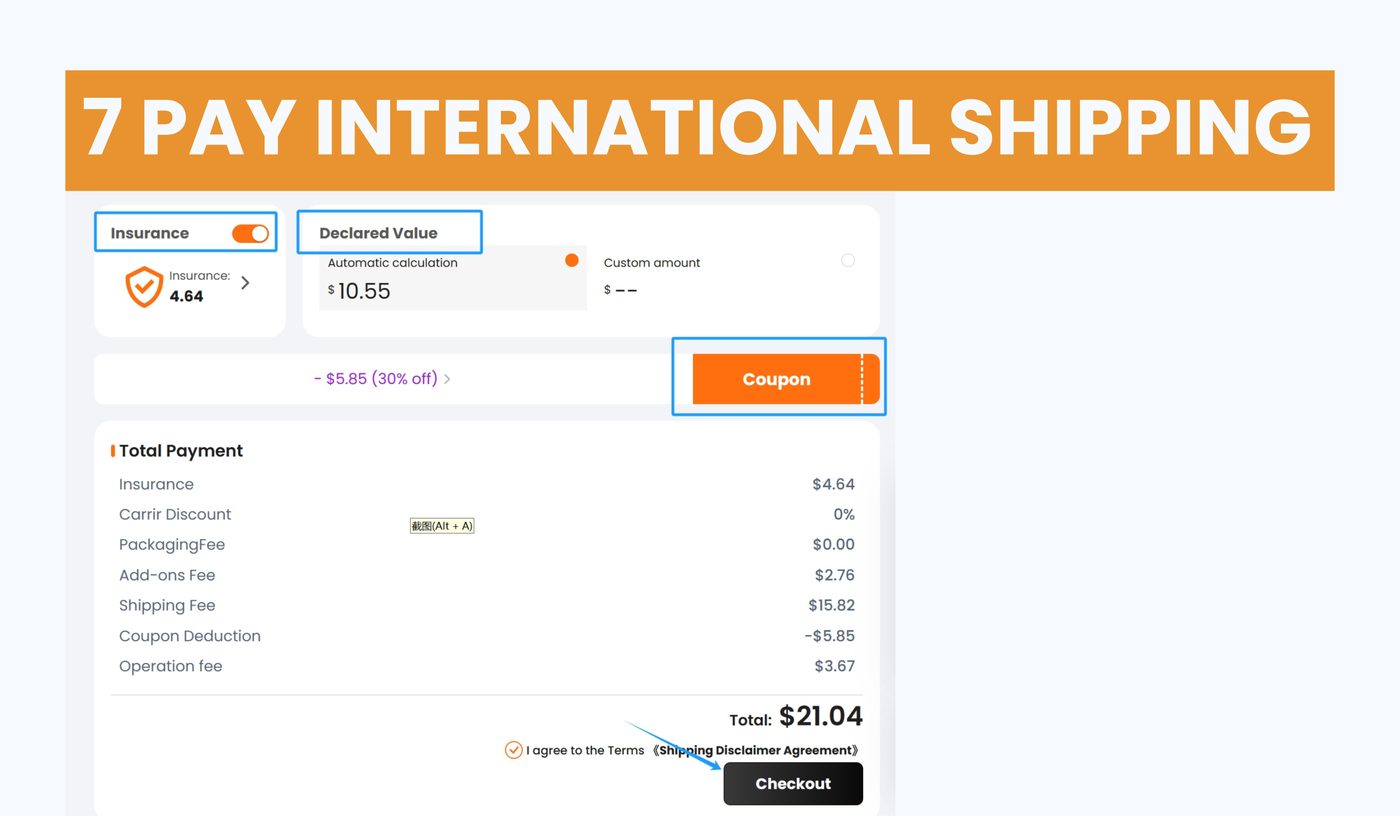
Confirm address, declaration, route and optional insurance before paying the international shipping estimate. If the actual shipping fee is lower, the difference can return to the MyCNBox balance.
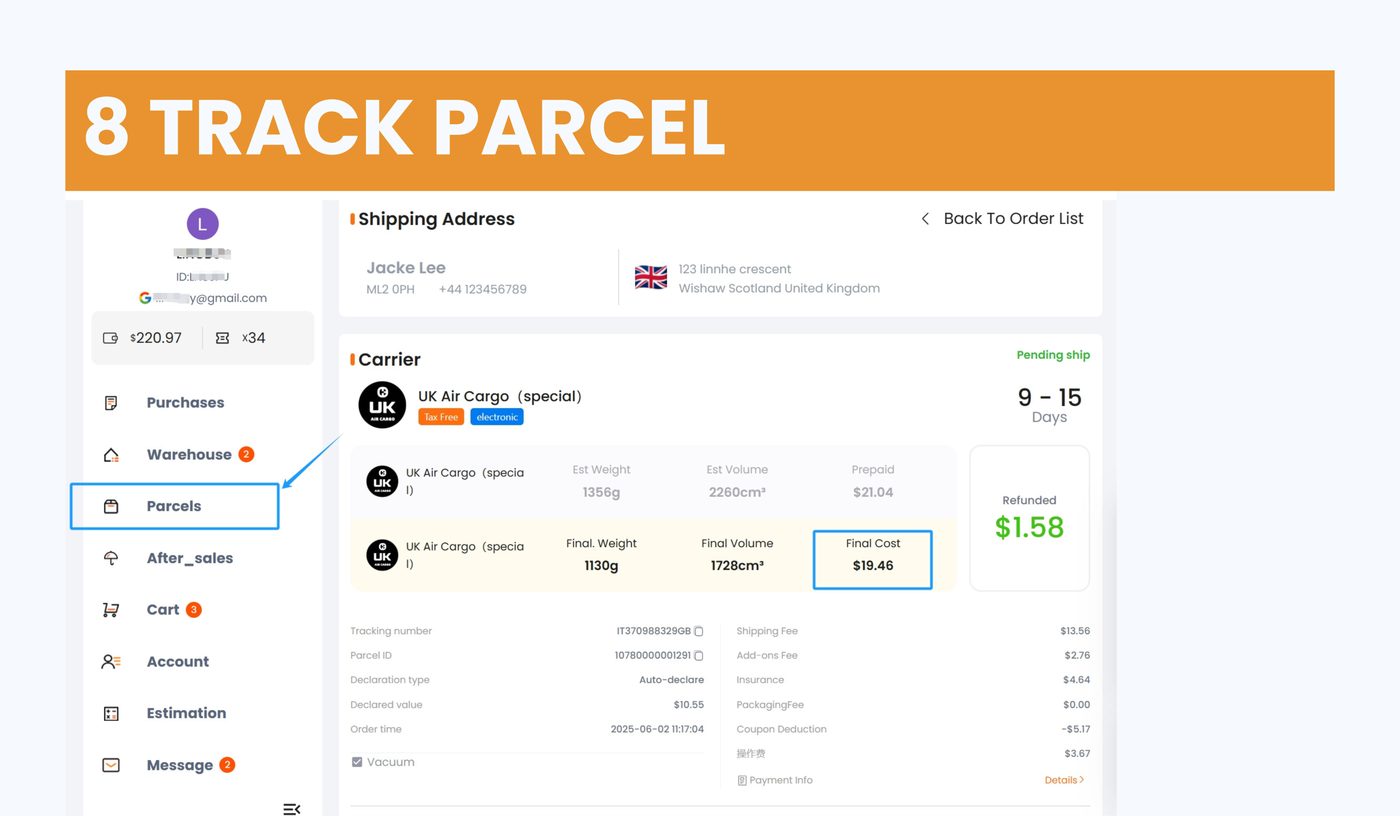
Once shipped, follow the parcel in the Parcels area. Keep unboxing evidence for high-value shipments, damaged packages, missing items or any after-sales claim.
MyCNBox help content states that items usually arrive at the warehouse 1-3 days after seller shipment, and QC is normally completed within 1 business day after receipt.